
Every enrolment, acknowledged
Modern Enrolment Notifier sends clear, timely messages the moment learners are enrolled, before access expires, and when they complete — to learners, teachers, managers, and even Slack or Teams. Rule-based, multi-channel, and fully automated on Moodle cron.
Enrolment communication, without the manual follow-up
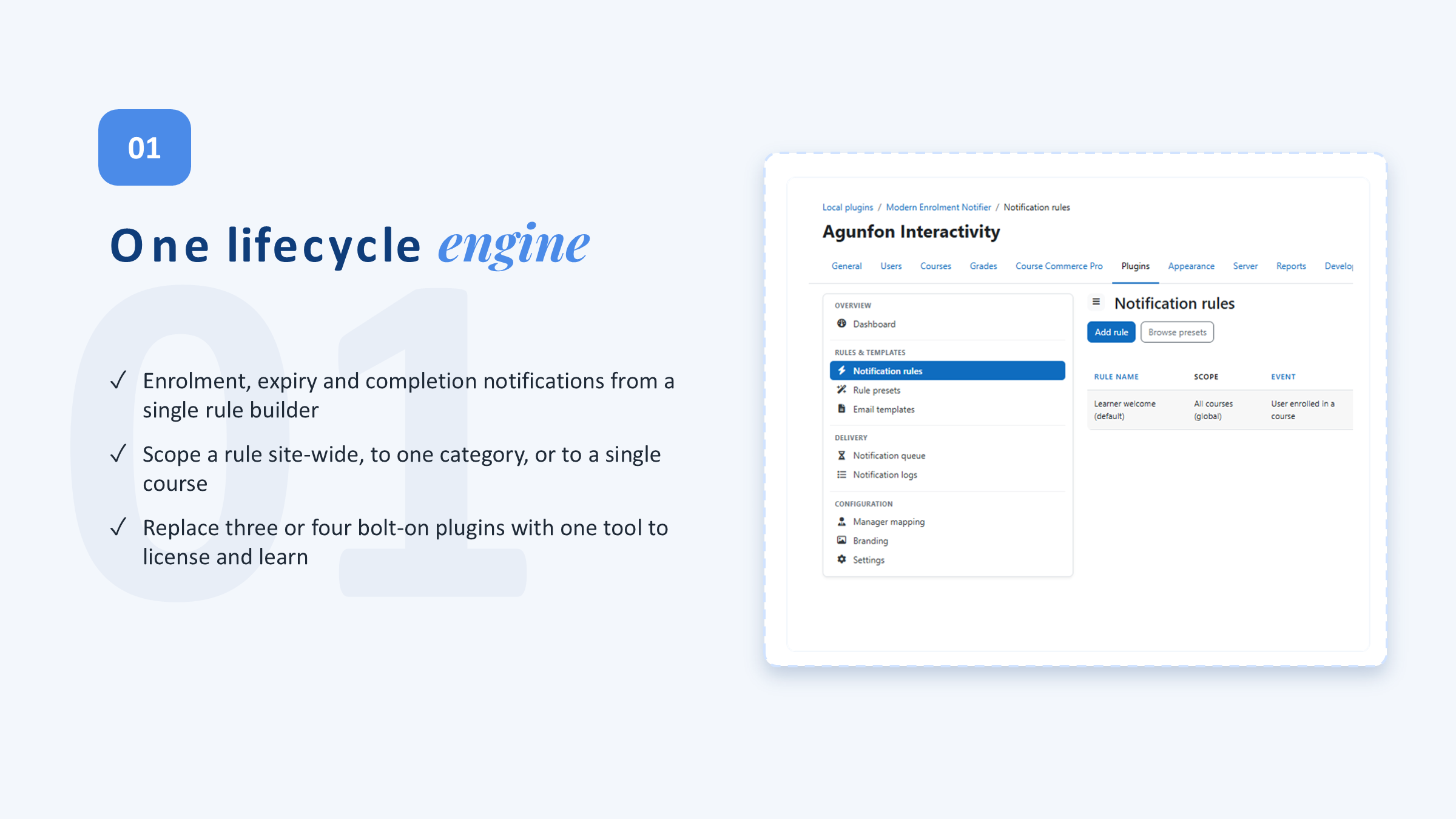
Every enrolment is a moment that matters — a warm welcome sets the tone, an expiry reminder protects access, a completion message drives the next step. Doing that by hand doesn't scale. Modern Enrolment Notifier is built around notification rules: each rule decides when a message sends, who receives it, which template it uses, and which channel carries it. Messages are queued and delivered by Moodle cron, so enrolment activity stays fast even when email servers or external services are slow.
10 reasons to choose Modern Enrolment Notifier
Swipe through the highlights — click any slide to view it full size.
Flexible notification rules
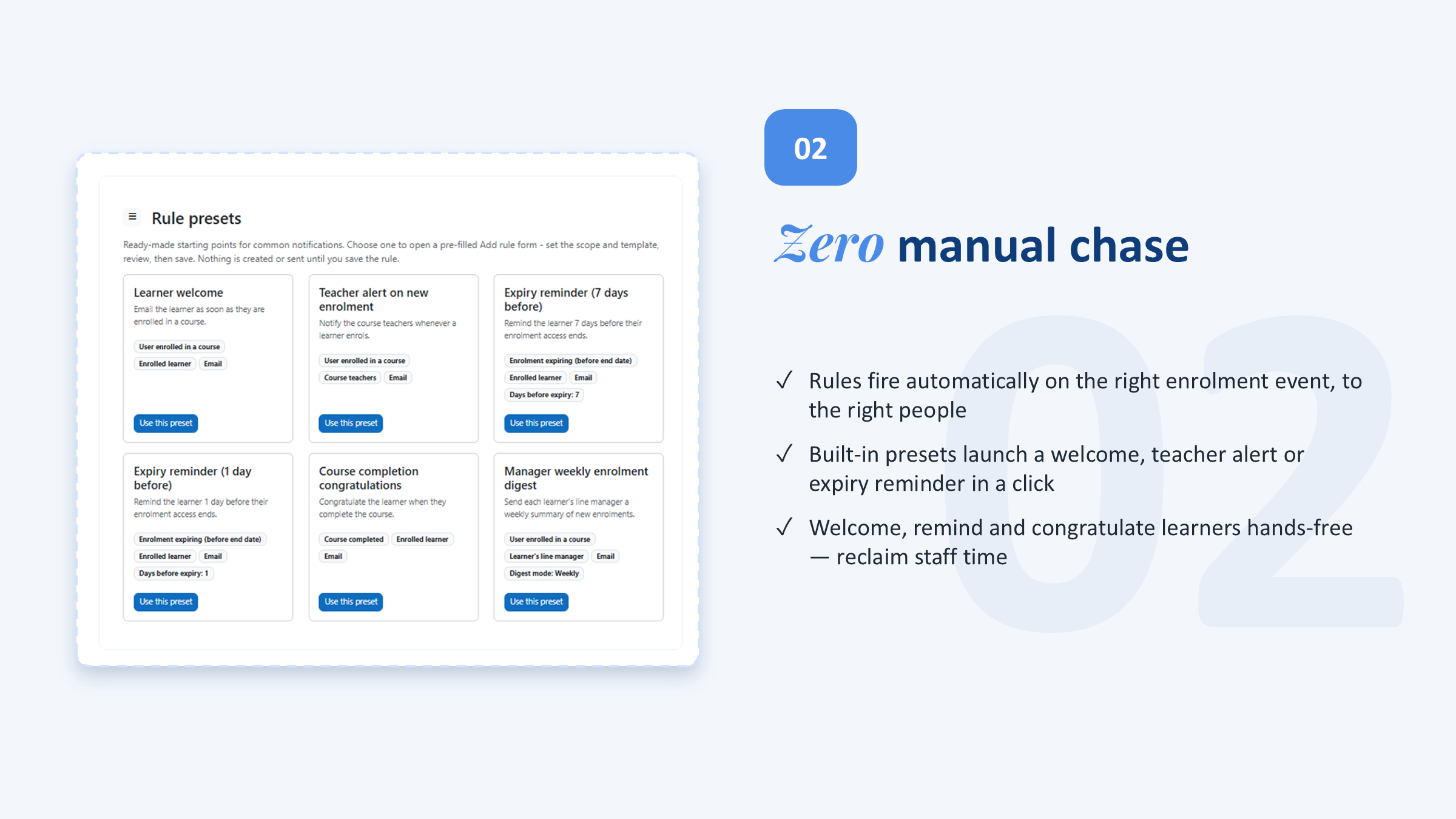
React to new enrolments, expiring or expired access, and course completion — scoped to all courses, a category, or a single course, with smart condition filters.
Multi-channel delivery
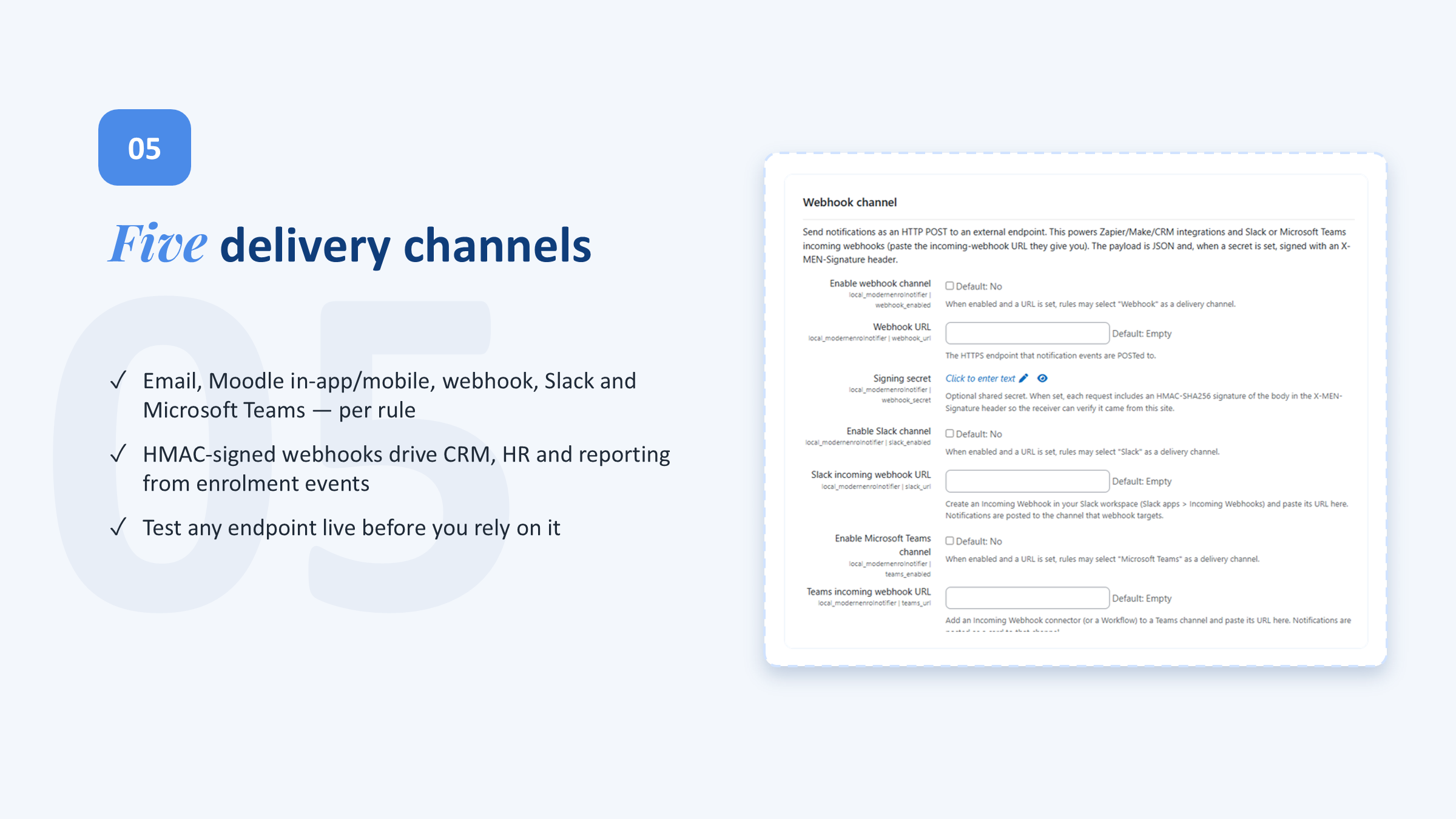
Reach people where they are: email, in-app / mobile notifications, webhooks, Slack, and Microsoft Teams — with a built-in channel test page.
Every recipient covered
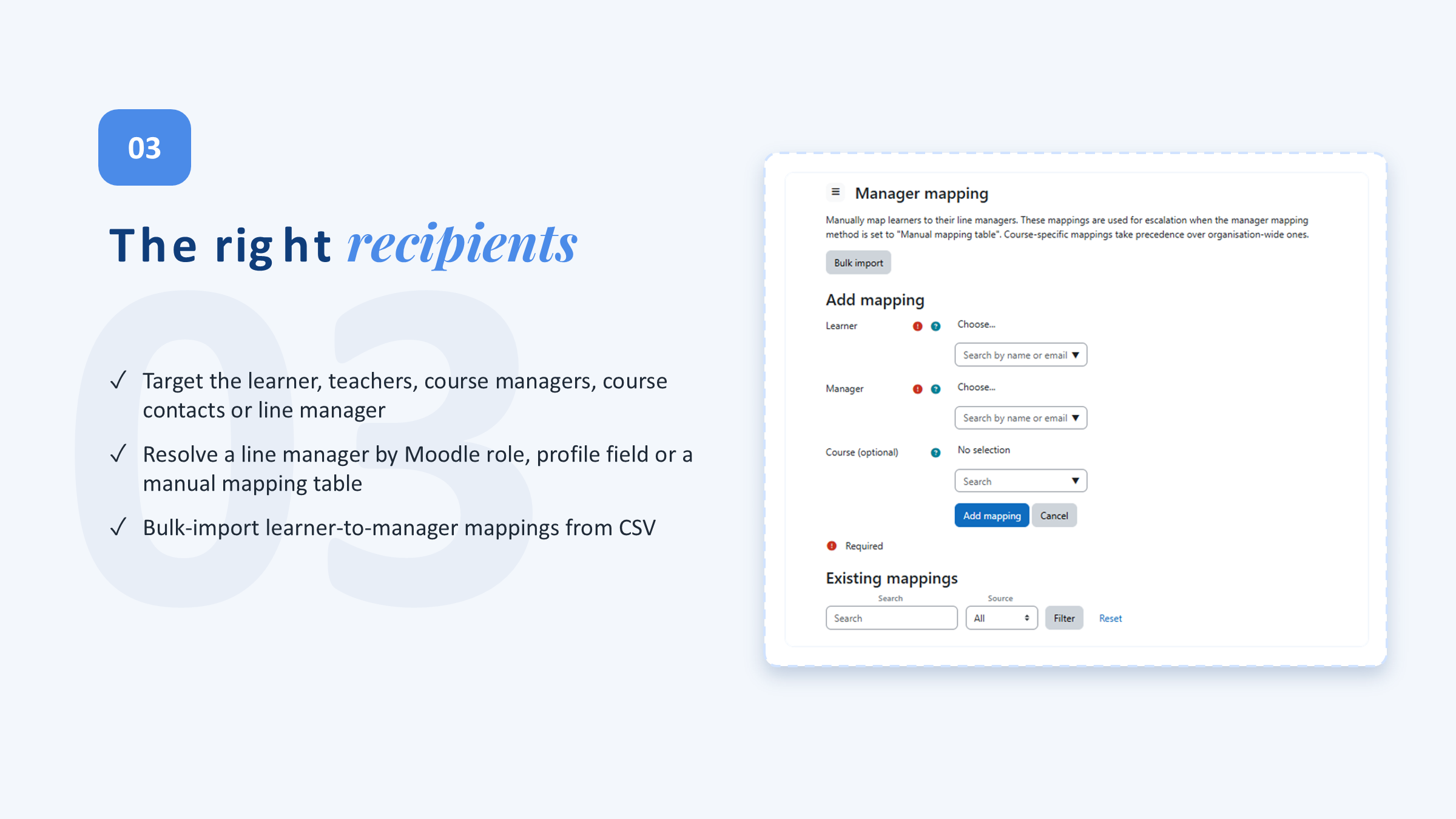
Notify the enrolled learner, course teachers, course managers, Moodle course contacts, or the learner's line manager.
Manager mapping
Resolve line managers from a manual table, a profile field, or Moodle roles — and bulk-import mappings by CSV.
Professional & AI-drafted templates
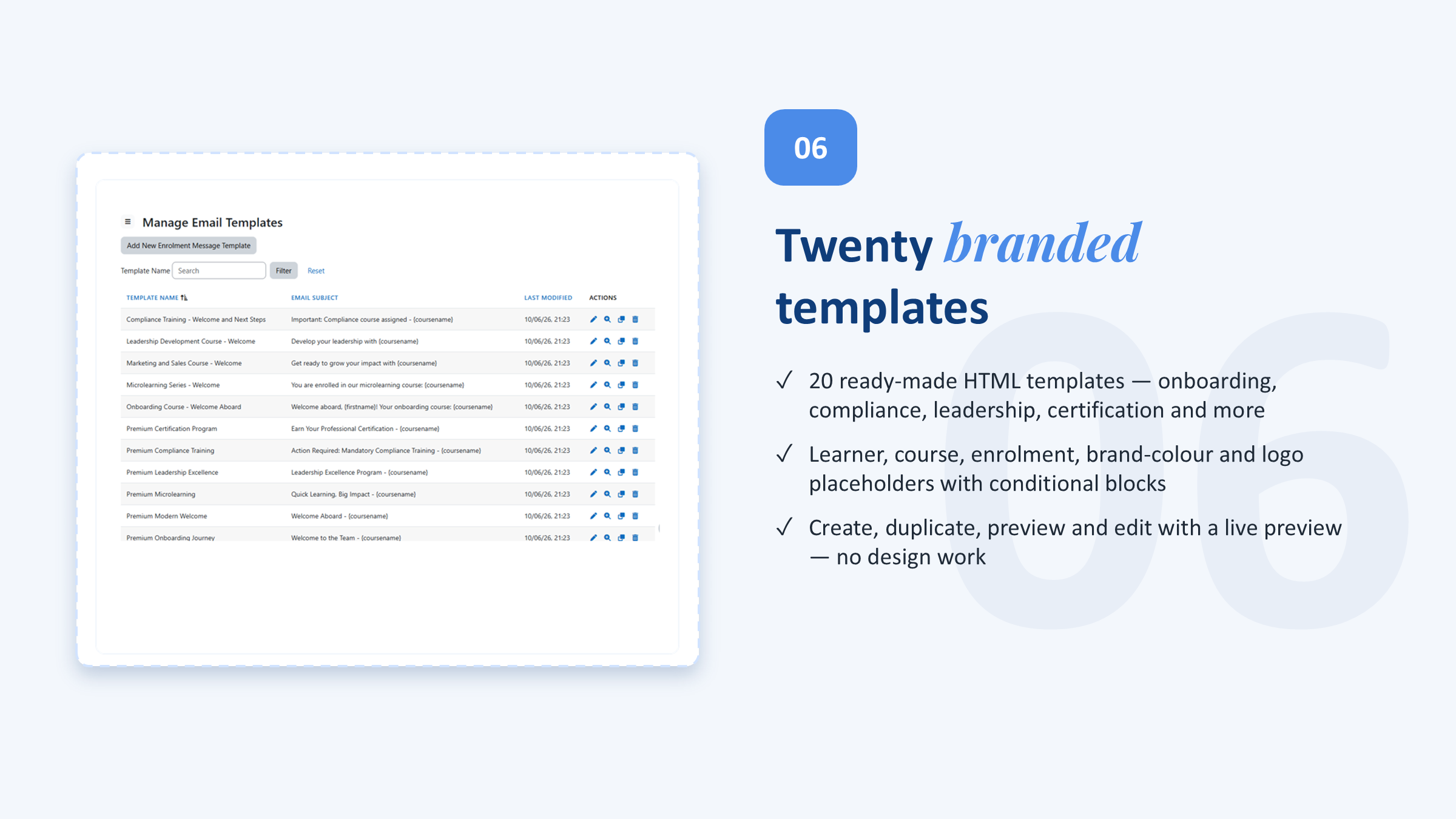
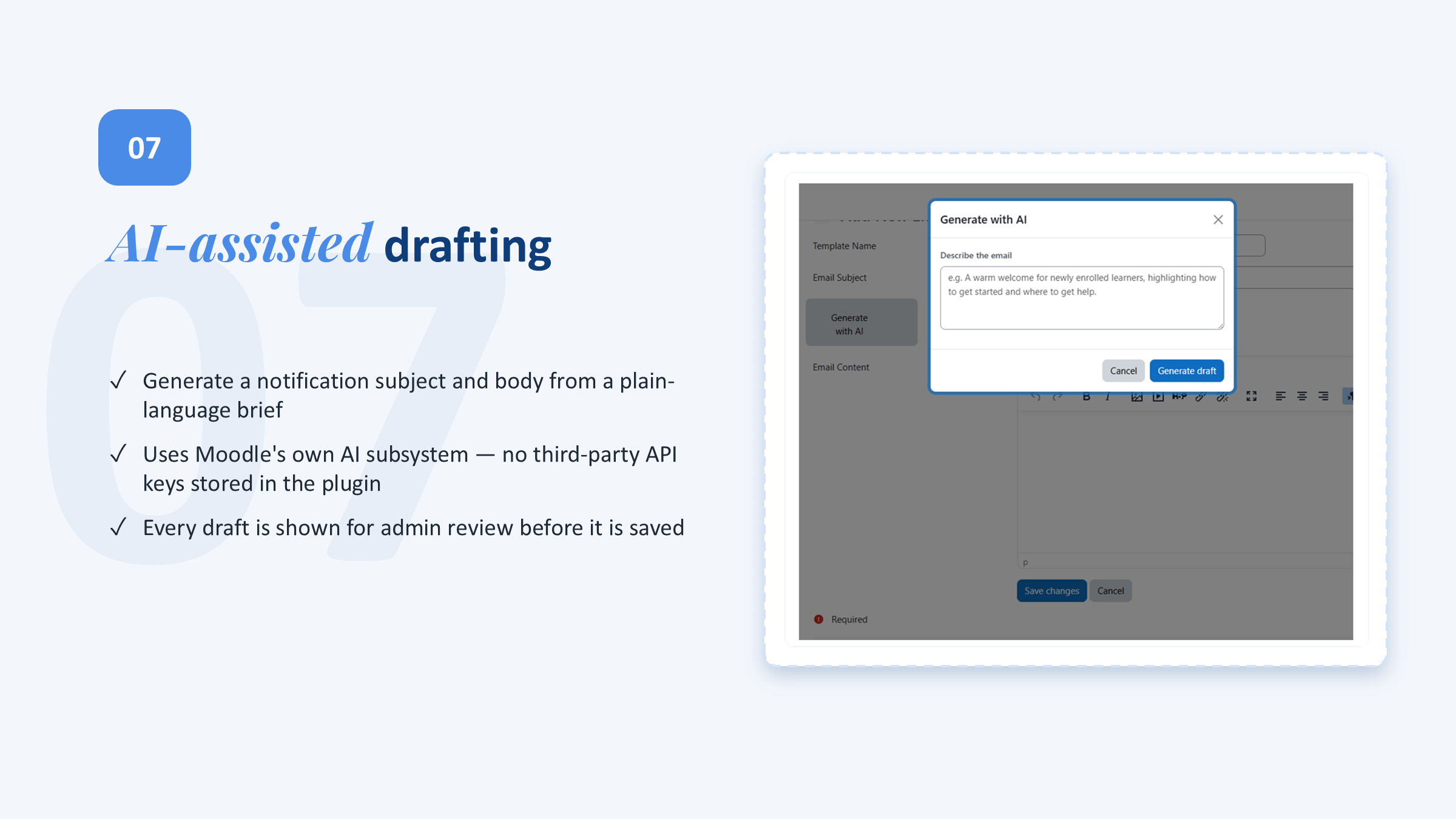
Ready-made HTML templates for onboarding, compliance, certification and more, with rich placeholders — plus optional AI drafting via Moodle AI.
Digests, dashboards & logs
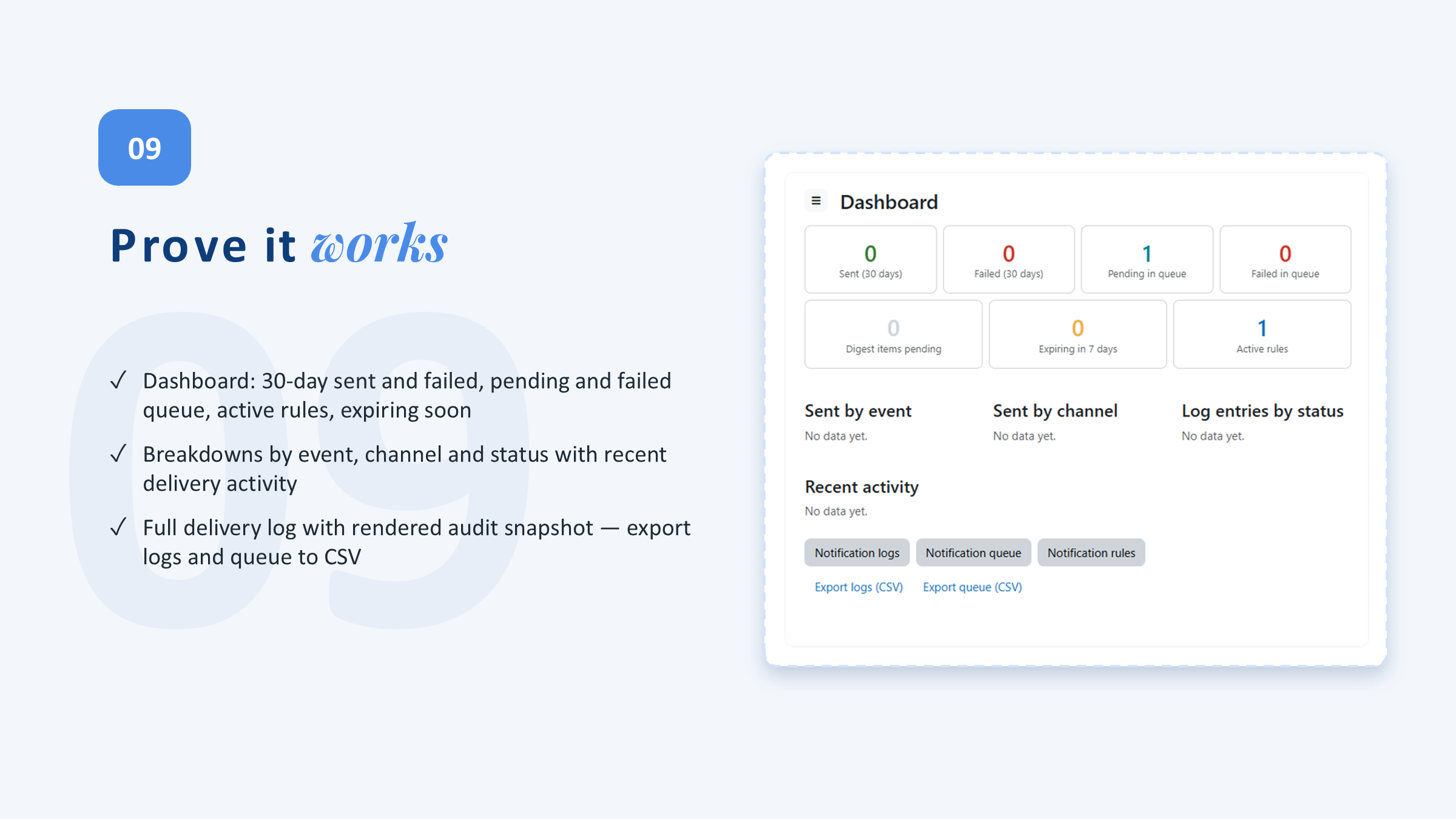
Group high-volume alerts into daily or weekly digests, and manage everything from dashboards, delivery logs, queue controls, and CSV exports.
Event happens. The right message goes out.
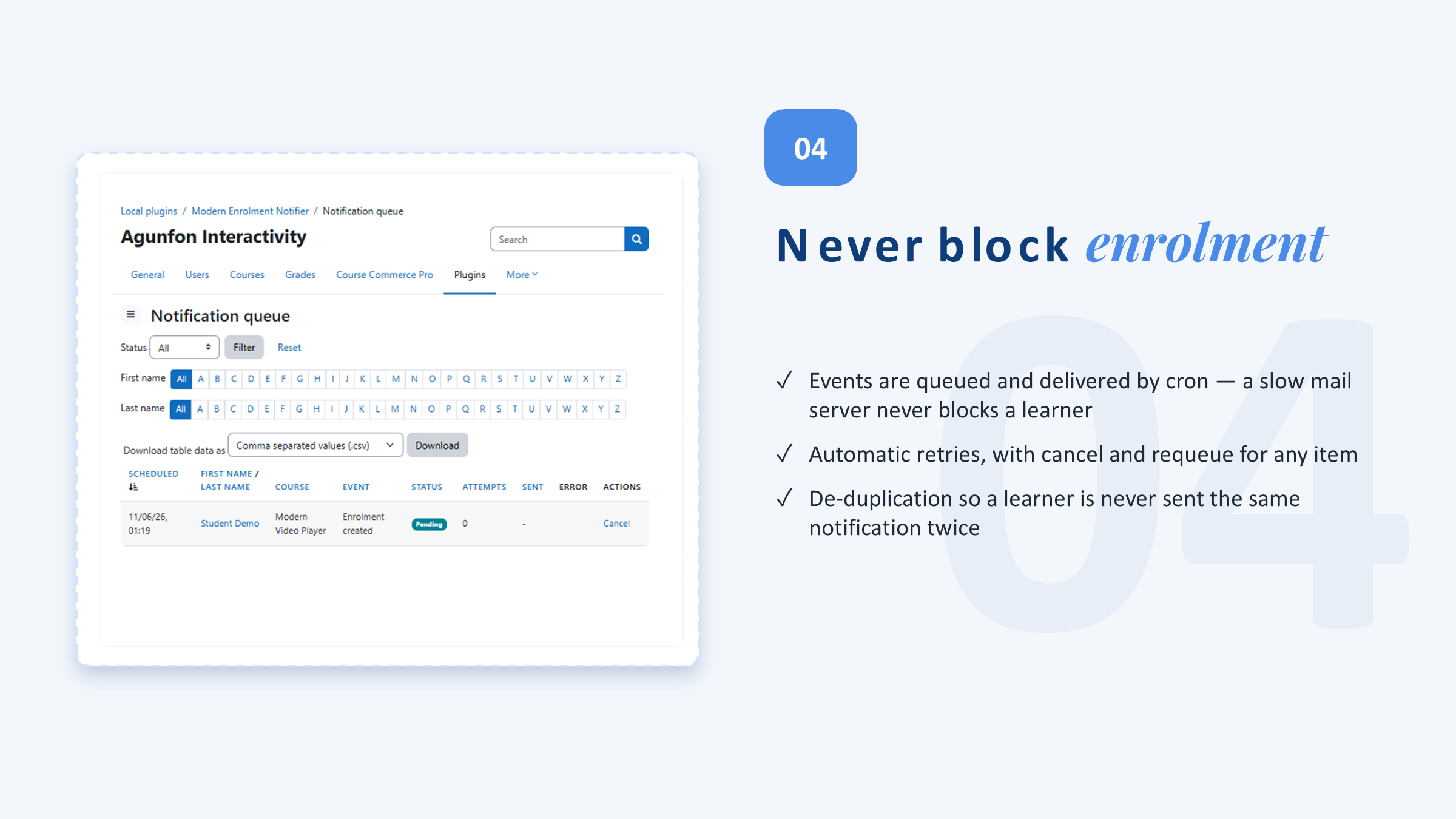
Enrolment events trigger rules instantly; messages queue and deliver on cron — no manual chasing, no page-load slowdown.
Why not just core Moodle?
| Capability | Core Moodle | Basic plugins | Modern Enrolment Notifier |
|---|---|---|---|
| Notify learner on enrolment | Basic | ✅ | ✅ |
| Rule-based scope & conditions | — | Partial | ✅ |
| Expiry reminders (before / after) | — | — | ✅ |
| Completion & next-step messages | — | Partial | ✅ |
| Slack / Teams / webhook delivery | — | — | ✅ |
| Manager & multi-recipient routing | — | — | ✅ |
| Digests, logs & CSV export | — | — | ✅ |
From first welcome to renewal
Warm, branded welcomes
Greet every new enrollee instantly with a branded message and the exact next step — no one starts a course in silence.
Protect expiring access
Send renewal reminders before access ends and follow-ups after, so learners and managers act before a licence lapses.
Notify the systems you run on
Push enrolment and completion events to Slack, Teams, or a webhook to trigger downstream workflows and keep ops in the loop.
Simple, per-site pricing
Every tier includes every feature. GPL v3 licensed.
Pro
Up to 5 sites All features & channels 1 year updates Priority support
Enterprise
All features & channels Tailored pricing for your Moodle setup Personalized implementation plan Custom admin onboarding & training Invoicing
✓ 30-day money-back guarantee · ✓ GPL v3 — modify freely · ✓ Cancel anytime
Frequently asked questions
Which Moodle versions are supported?
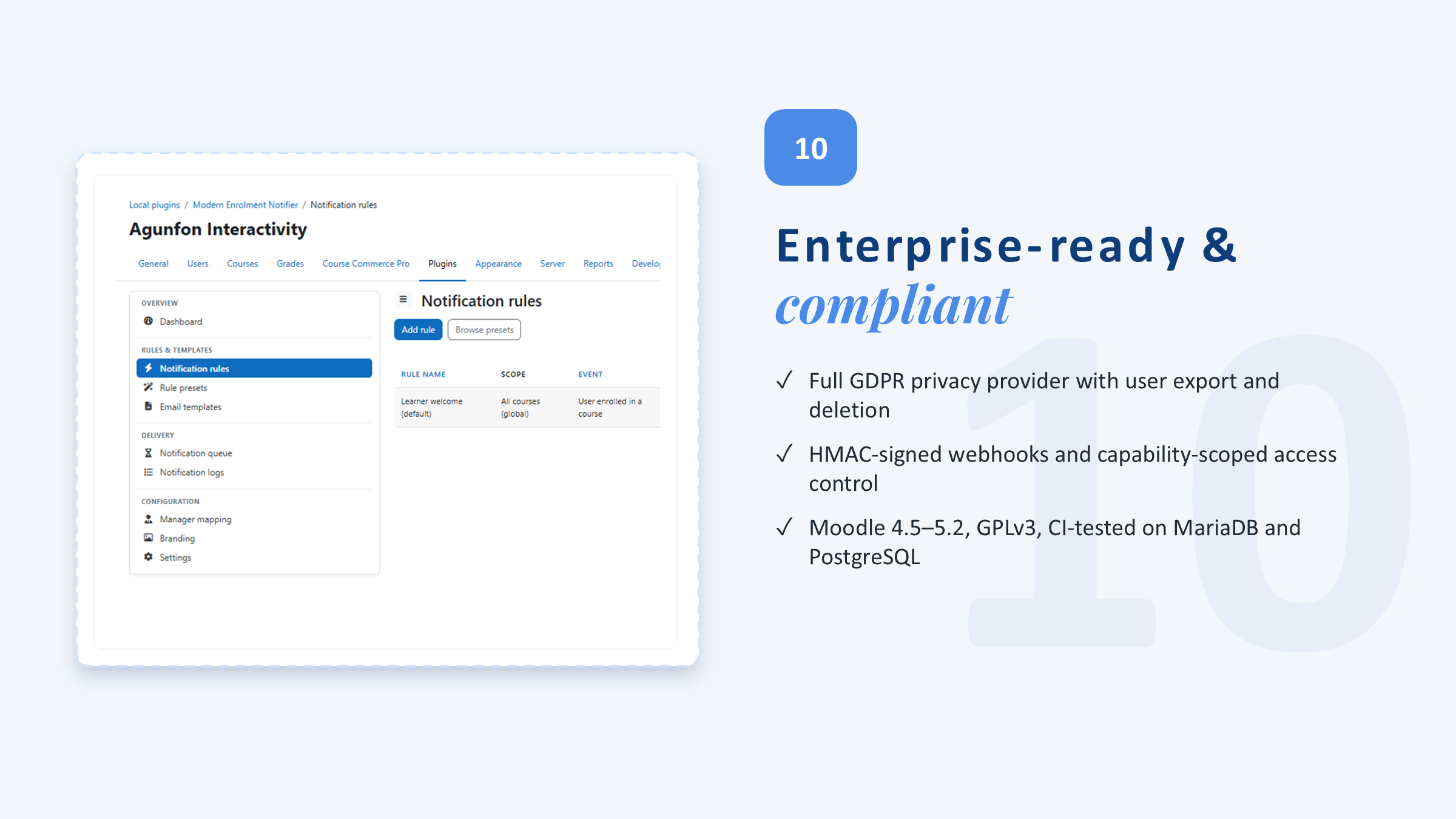
Moodle 4.5 through 5.2.
How do Slack and Teams notifications work?
Add a webhook URL for each channel in the settings. A built-in channel-test page lets you confirm each endpoint works before you rely on it.
Can course teachers manage their own notifications?
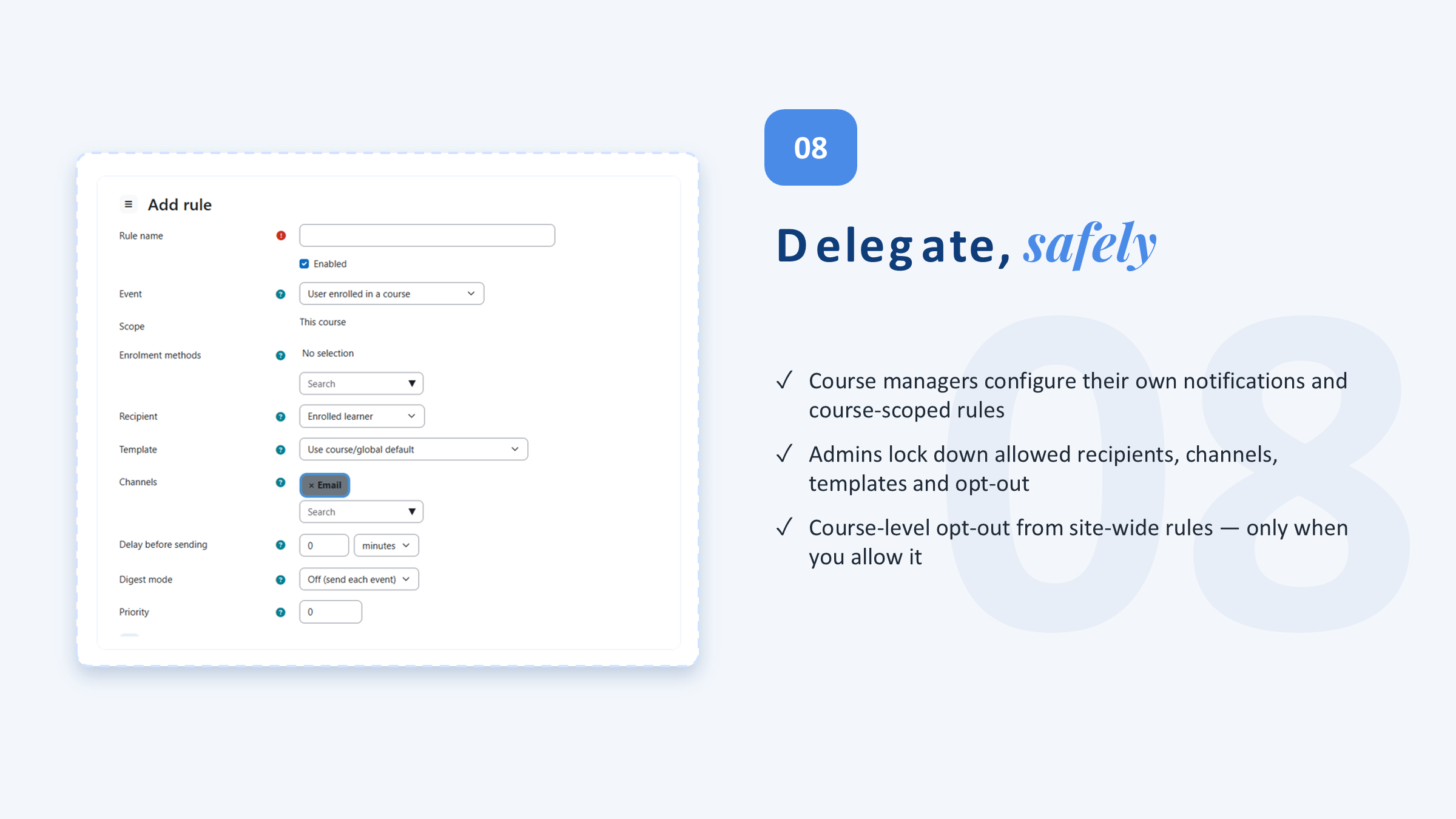
Yes. With permission, course managers can enable course notifications, pick a template, write a custom message, preview it, and create course-specific rules — within limits you set as administrator.
How is learner data handled (GDPR)?
A bundled privacy provider declares everything stored and supports full user export and deletion at the system context.
Will it slow my site down?
No. Enrolment events are captured instantly, but messages are queued and delivered by Moodle cron — so enrolment stays fast even if email or external services are slow.
Is it really GPL? Can we modify it?
Yes — GNU GPL v3 or later. You're free to modify it for your own installation.

Welcome every learner.
Automatically.
Install in minutes, set your rules once, and let every enrolment send the right message on the right channel.
30-day money-back guarantee · Moodle 4.5–5.2 · GPL v3