
Turn PDFs into trackable learning
Modern Flipbook turns any PDF into a beautiful, mobile-friendly Moodle reading activity — with page progress, active reading time, completion rules, acknowledgements, and reports that prove learners actually opened and read the material.
For teams that need proof the document was read
A PDF link isn't evidence
Policies, handbooks, onboarding guides, SOPs, compliance manuals, study packs — they're all still PDFs. Moodle can distribute them, but a plain file resource tells you nothing about whether anyone actually read them. Modern Flipbook closes that gap: it turns each PDF into a Moodle-native activity with a polished flipbook reader, page-by-page progress, active reading time, completion rules, an end-of-document acknowledgement, optional watermarking, and reports — so teachers and compliance teams get real evidence, not just a download count.
10 reasons to choose Modern Flipbook
Swipe through the highlights — click any slide to view it full size.
A modern flipbook reader
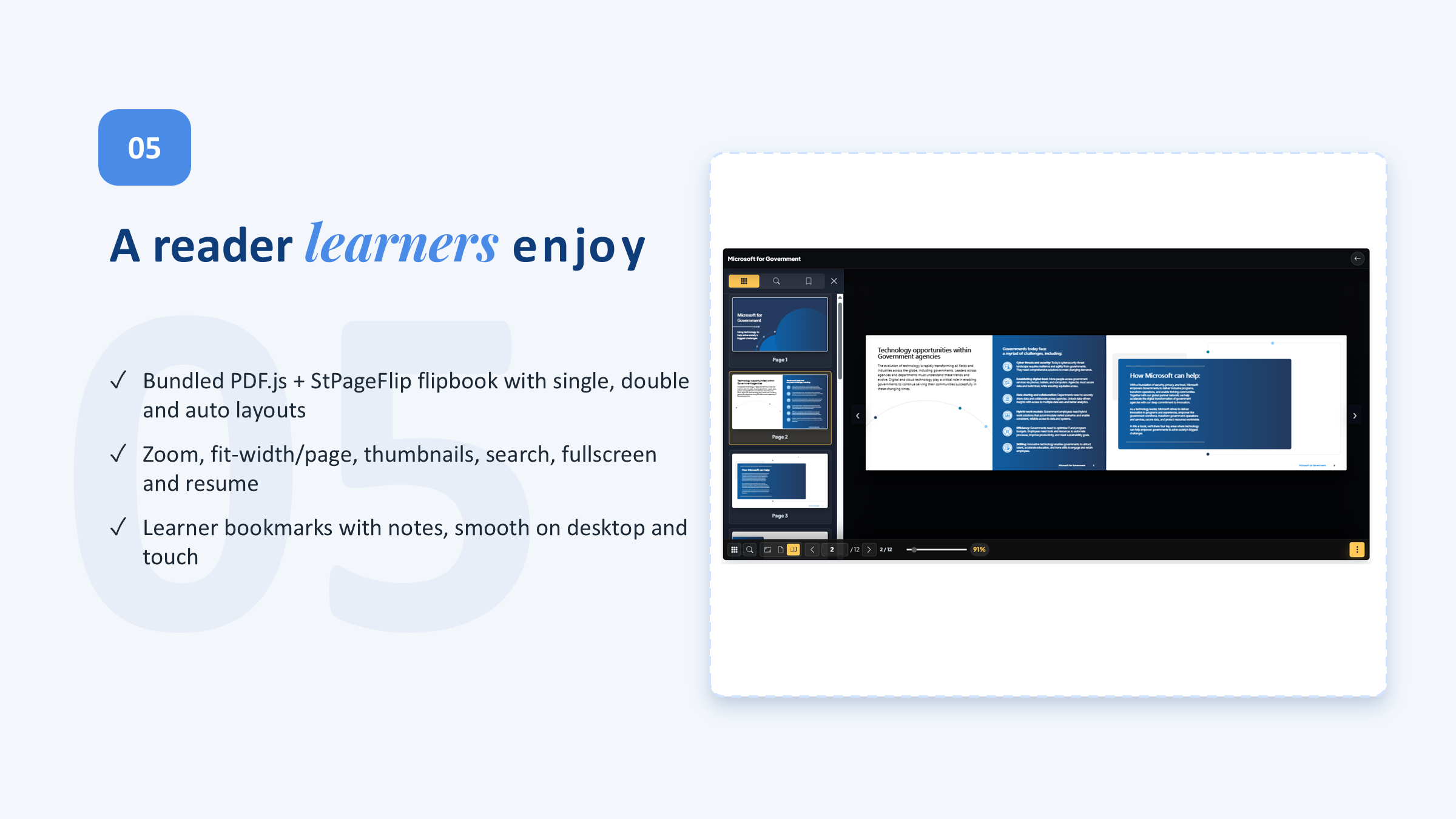
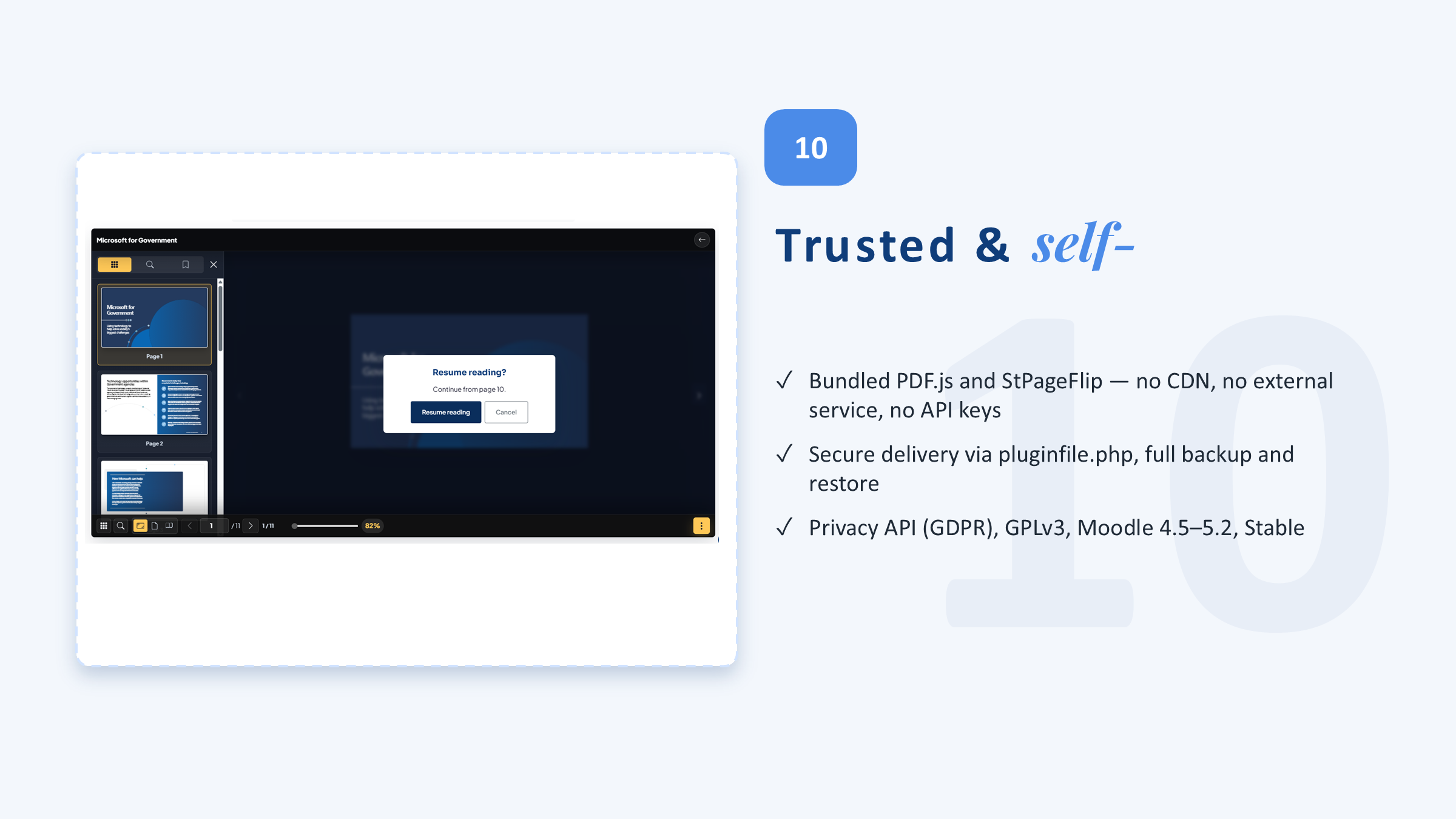
Bundled PDF.js + StPageFlip rendering (no CDN) with single, double, and responsive layouts, zoom, search, thumbnails, and fullscreen.
Progress & reading-time tracking
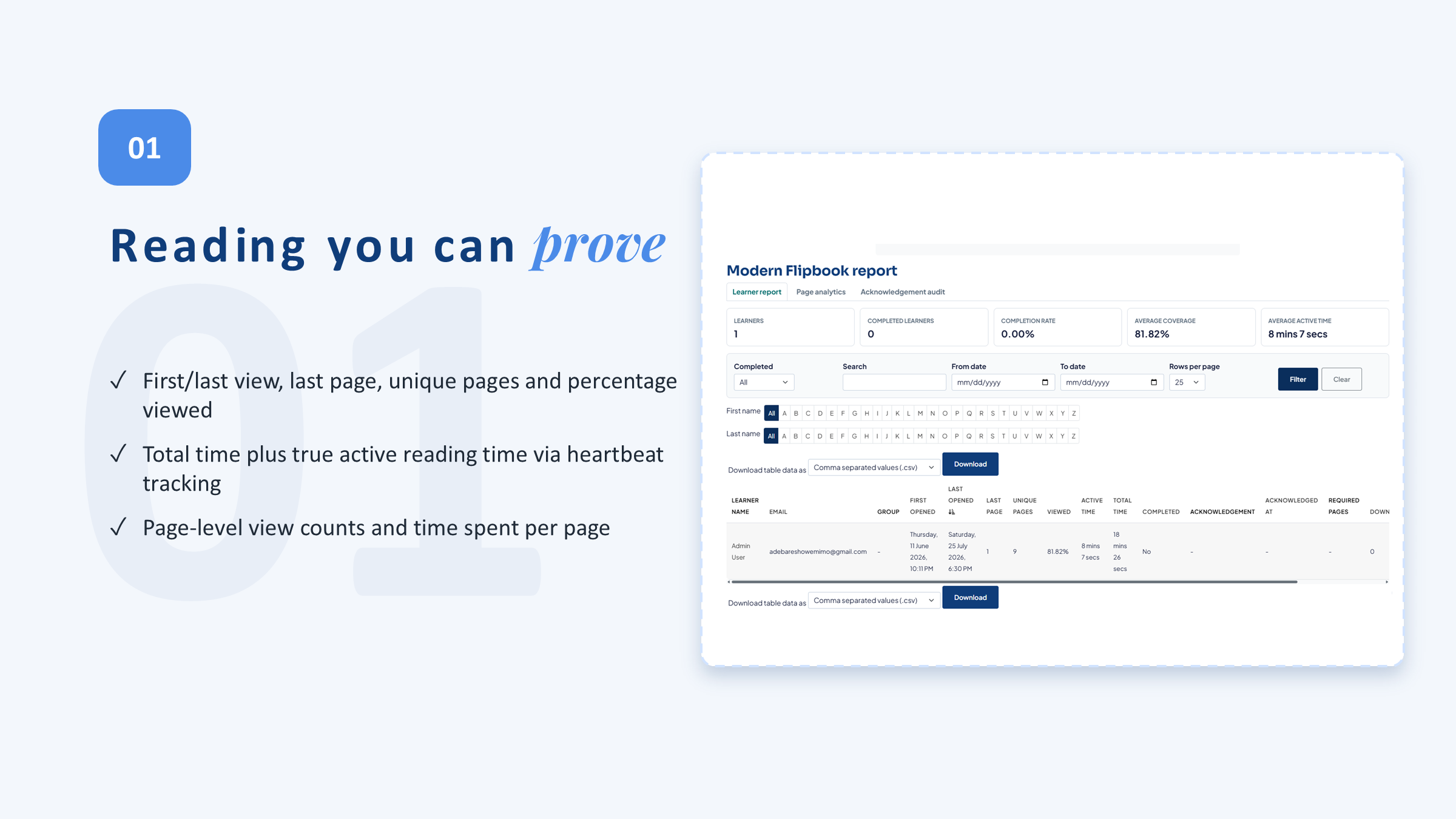
Records page views, active reading time, searches, prints, and downloads — not just whether the file was opened.
Flexible completion rules
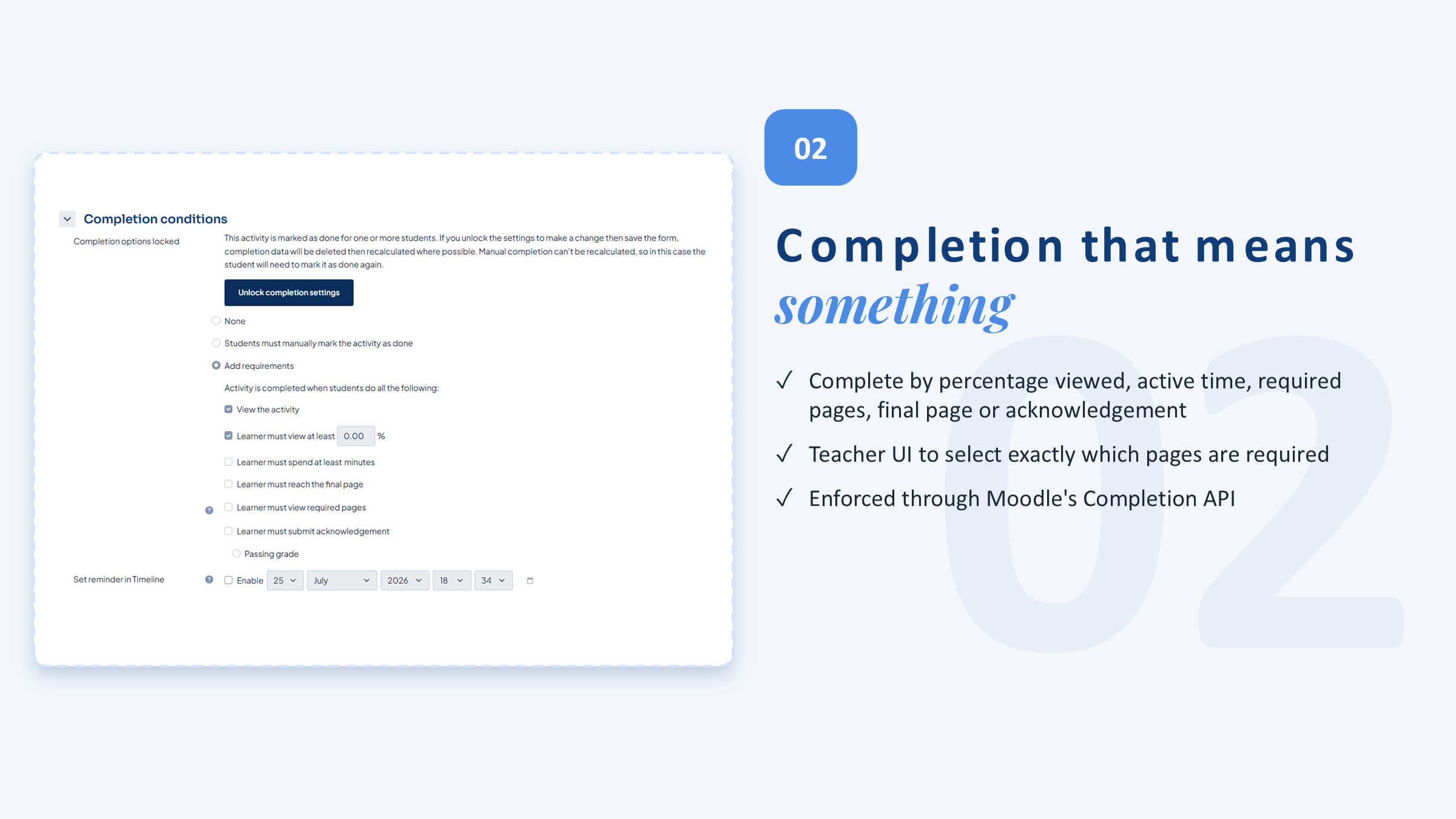
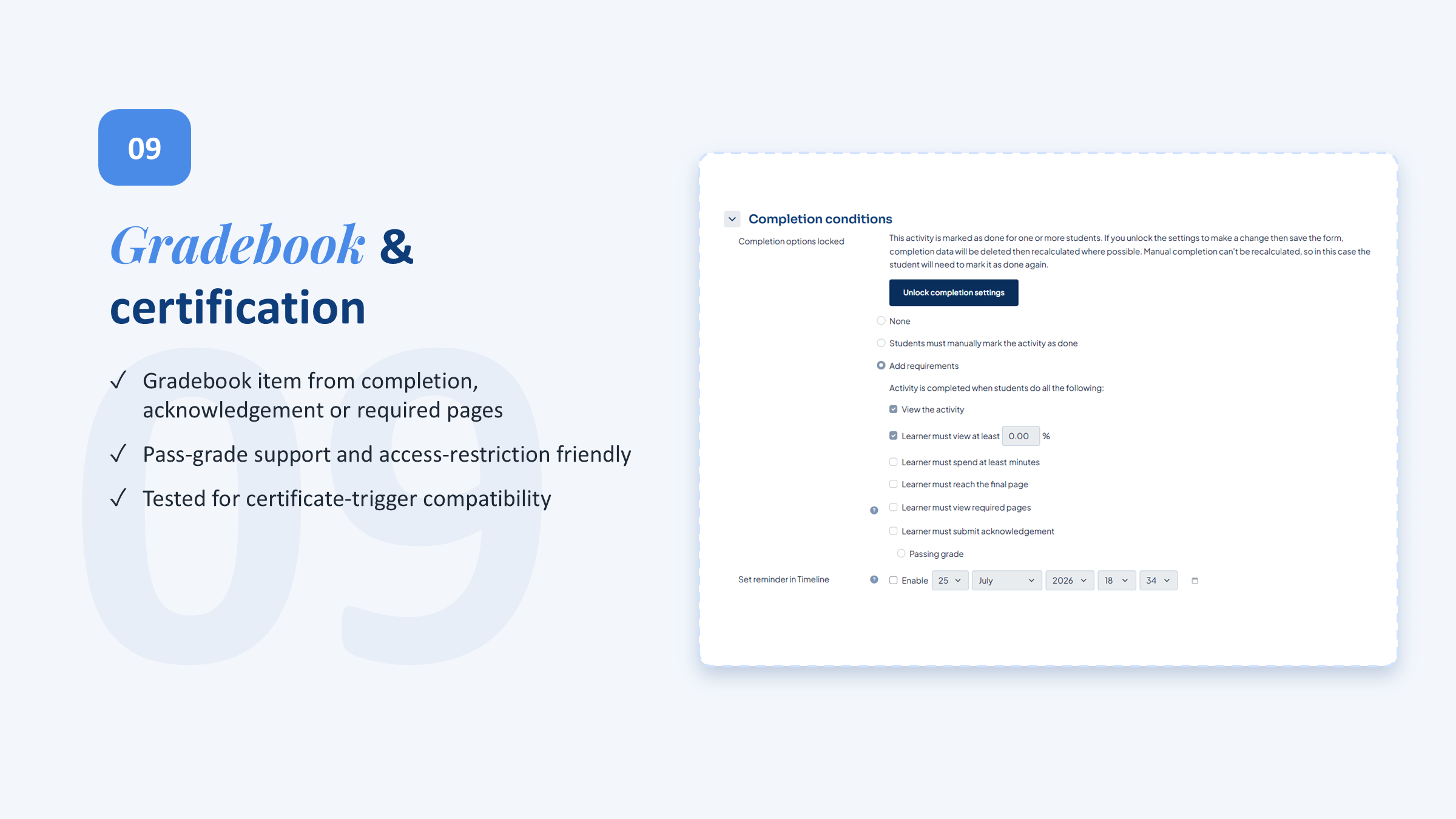
Complete by percentage viewed, time spent, required pages, reaching the final page, or acknowledgement.
Acknowledgement experience
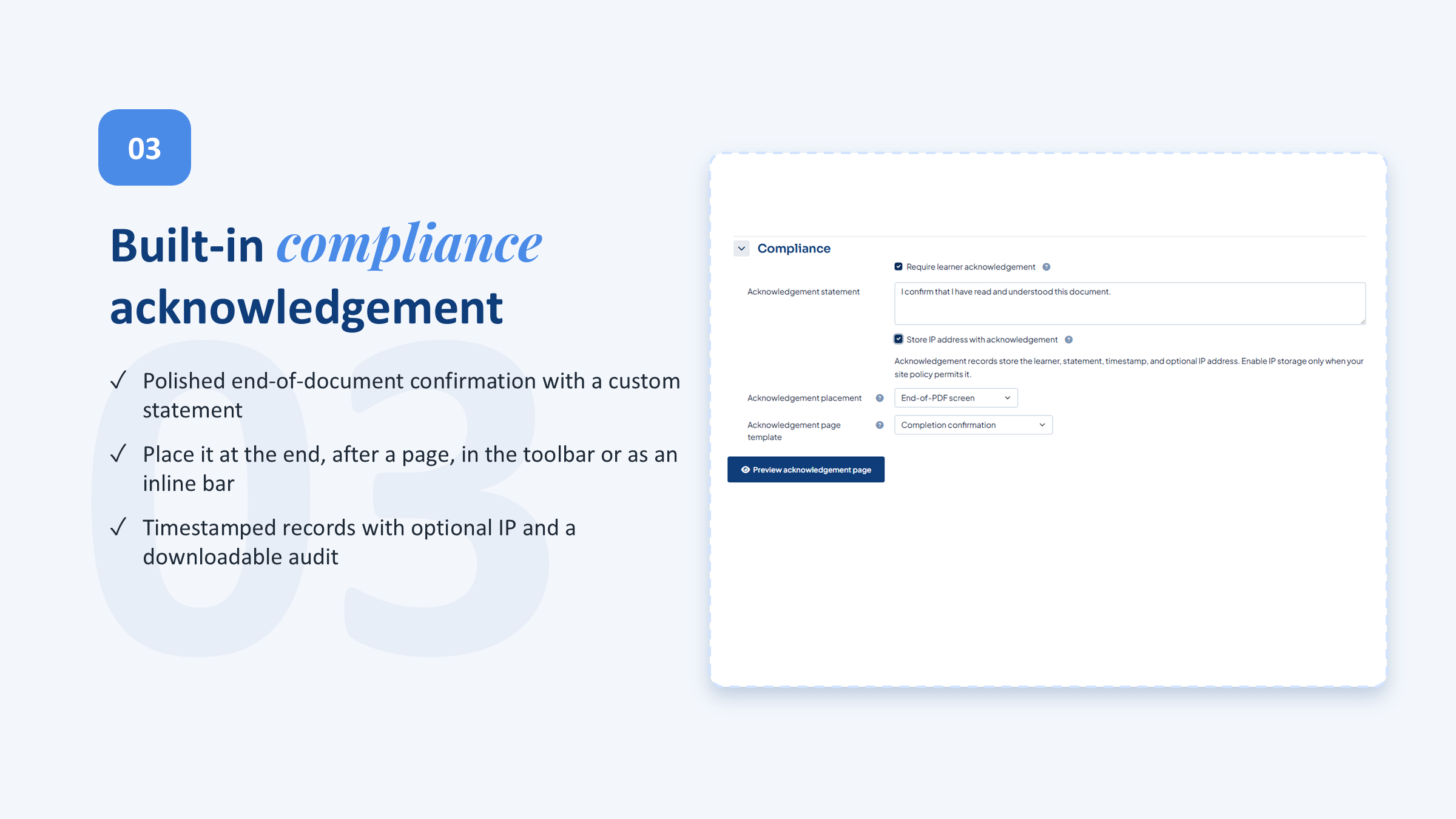
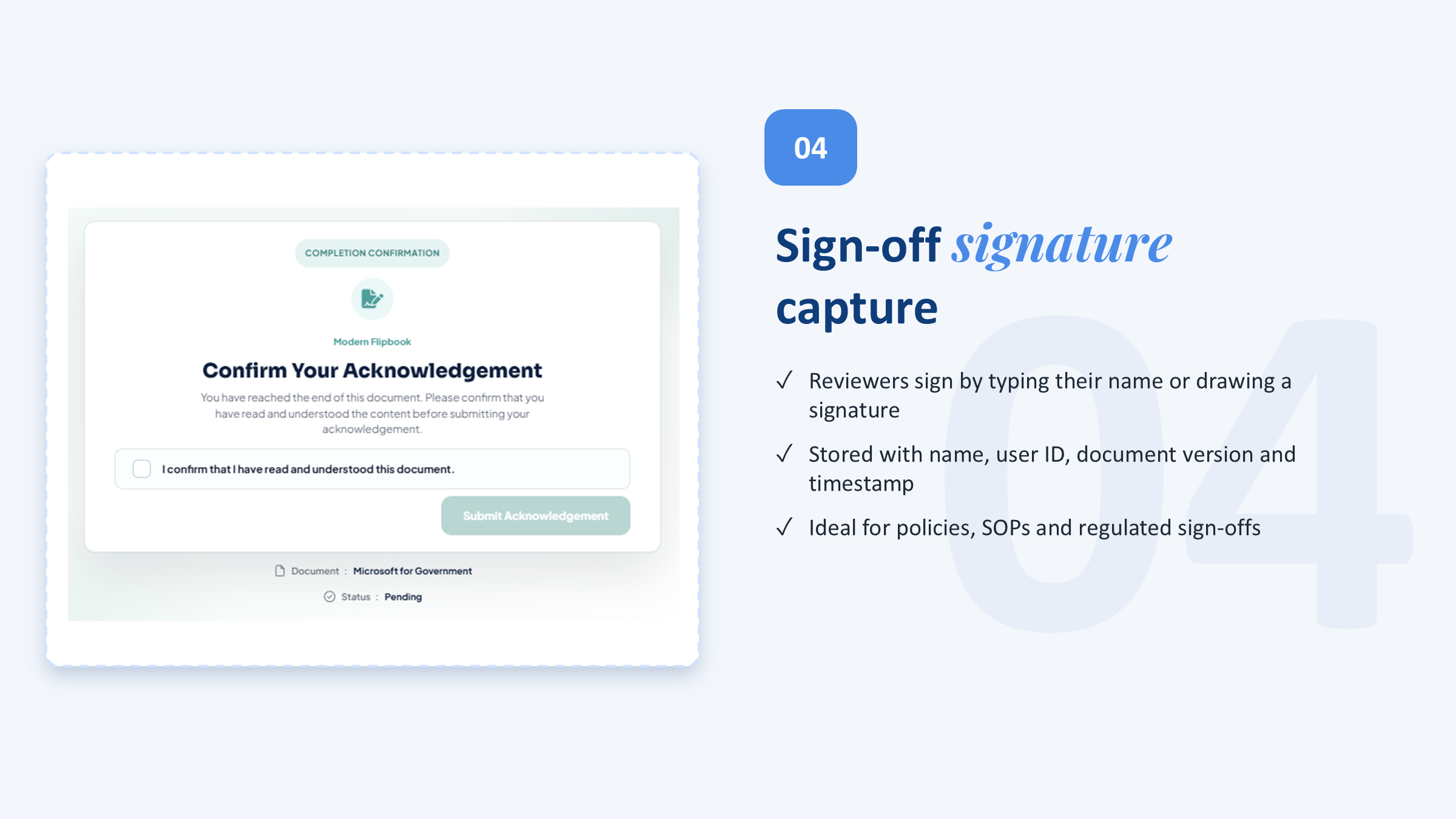
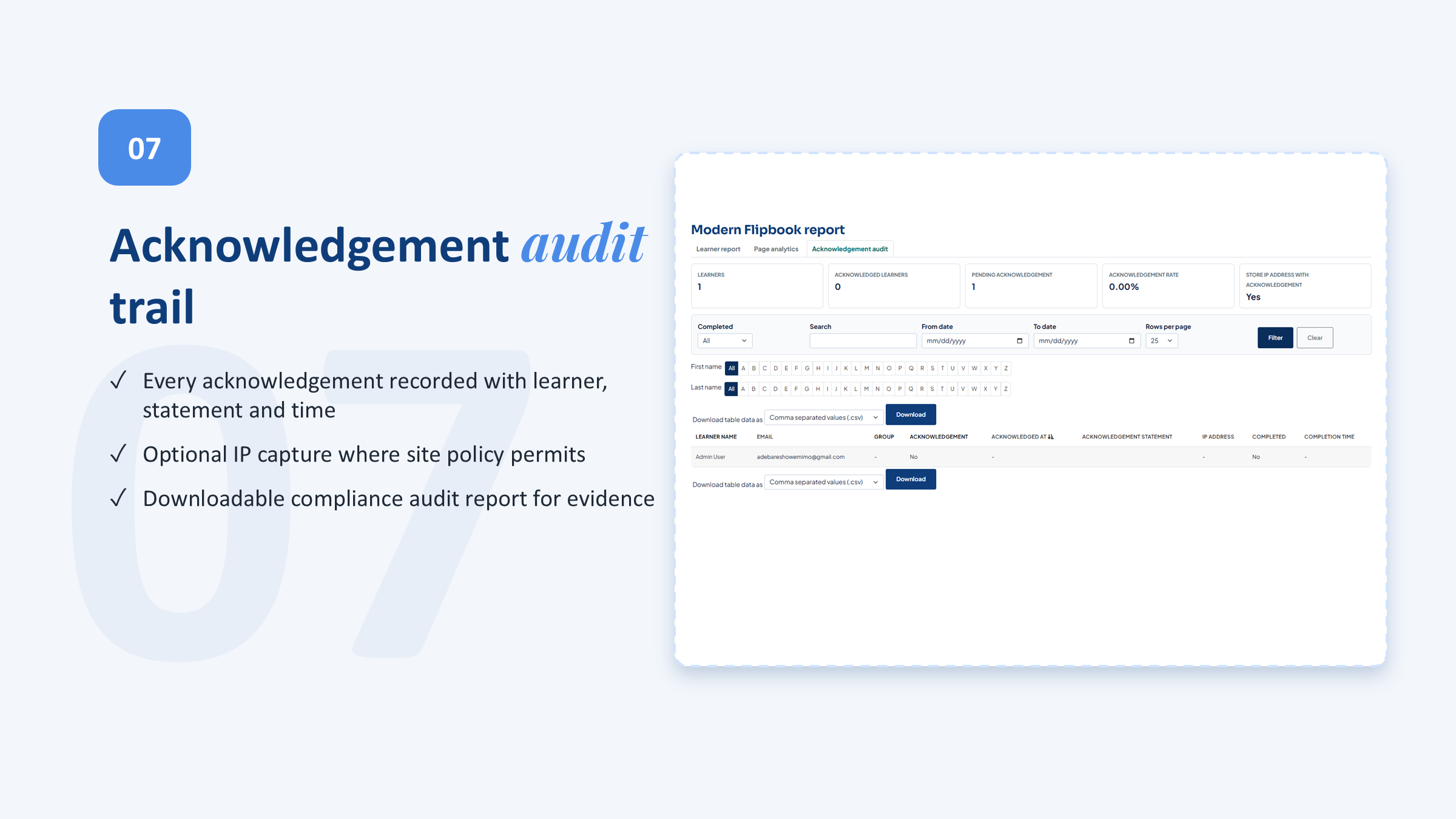
An end-of-document acknowledgement captures that learners confirmed they read important material.
Watermarking & protection
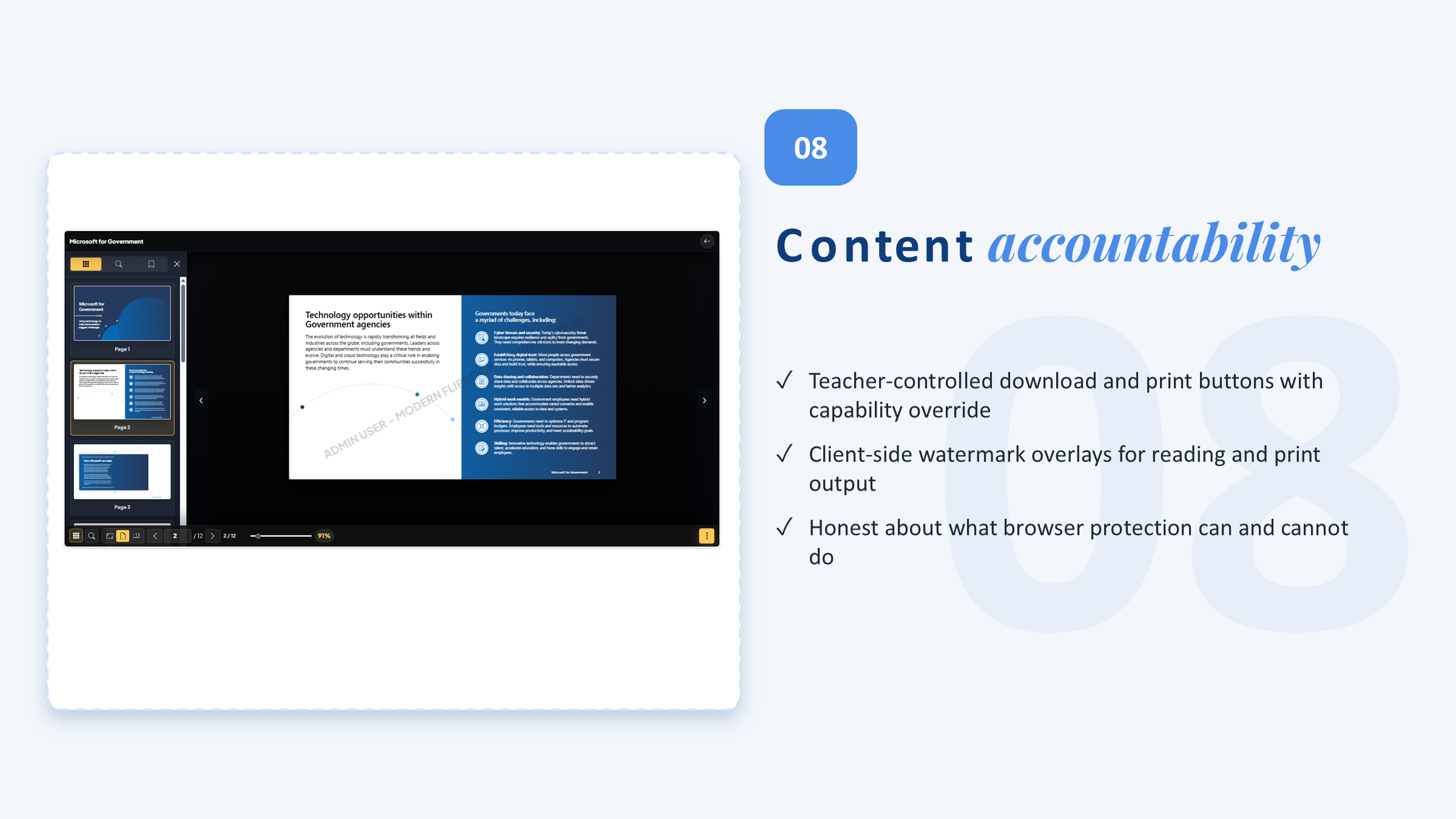
Optional learner watermarking, plus capability-controlled print and download — for documents that shouldn't be casually copied.
Reports & CSV export
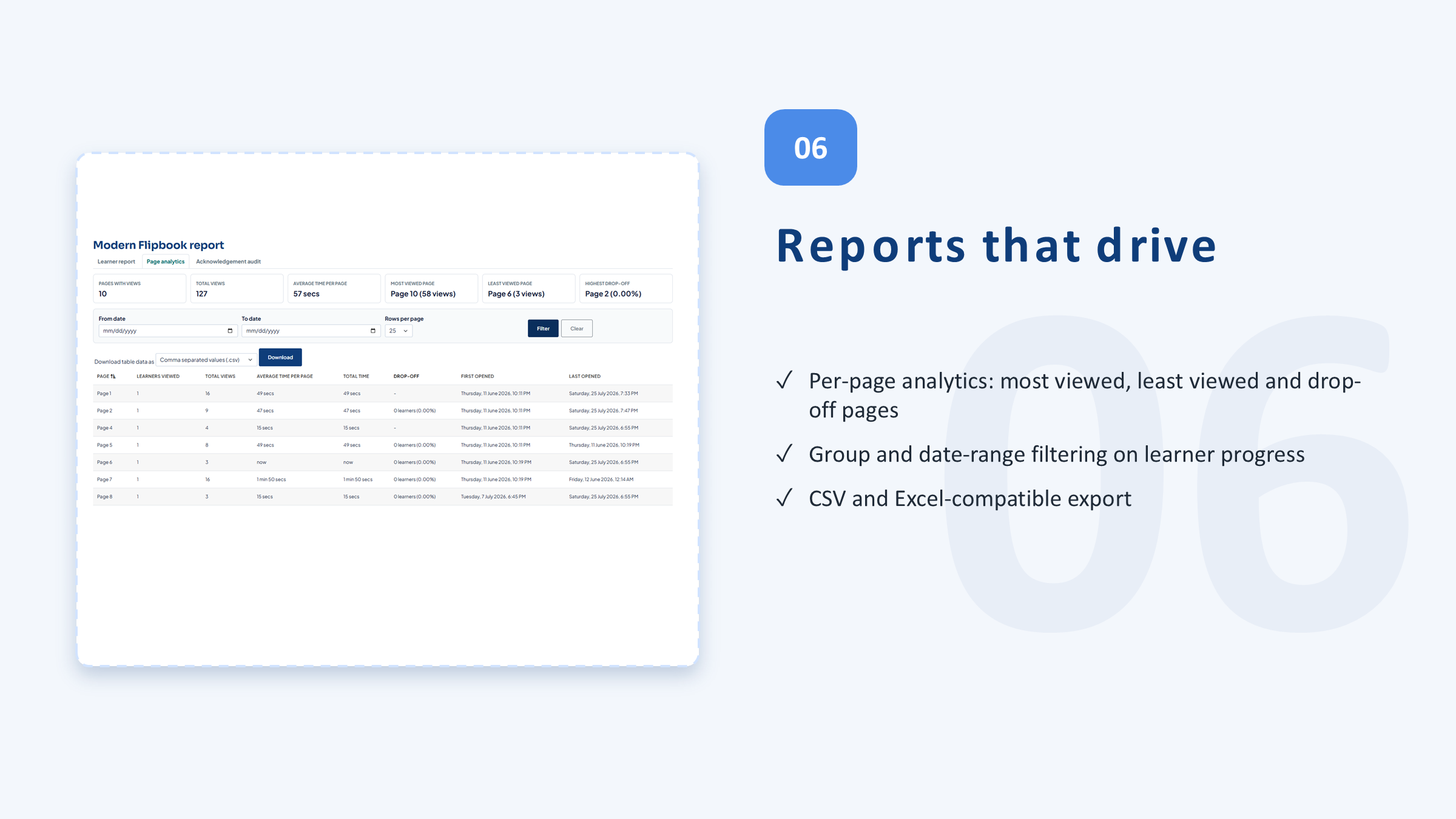
Per-activity engagement reports showing who read, how far, and for how long — exportable to CSV-compatible formats.
PDFs are delivered securely through Moodle's pluginfile.php, integrate with Moodle completion and reporting, and respect the Privacy API.
Upload a PDF. Get a learning activity.
No conversion, no external service — upload, set the rules, and learners read in a tracked, mobile-friendly reader.
Why not just a File resource?
| Capability | Core File / URL | Basic PDF viewers | Modern Flipbook |
|---|---|---|---|
| Display a PDF in Moodle | ✅ | ✅ | ✅ |
| Mobile-friendly flipbook reader | — | Partial | ✅ |
| Page progress & active reading time | — | — | ✅ |
| Completion by %, time, pages, or final page | — | — | ✅ |
| End-of-document acknowledgement | — | — | ✅ |
| Watermarking & print/download control | — | — | ✅ |
| Engagement reports & CSV export | — | — | ✅ |
When the document has to be read
Policies & handbooks, acknowledged
Turn policies, SOPs, and compliance manuals into activities with reading evidence and a signed acknowledgement — defensible at audit.
Onboarding packs that get read
Replace a folder of PDF links with tracked reading activities, so you know new hires actually worked through the material.
Reading packs & workbooks
Give students a focused, mobile-friendly reader for study packs and workbooks, with progress and time on each.
Simple, per-site pricing
Every tier includes every feature. GPL v3 licensed.
Pro
Up to 5 sites All features 1 year updates Priority support
Enterprise
All features Tailored pricing for your Moodle setup Personalized implementation plan Custom admin onboarding & training Invoicing
✓ 30-day money-back guarantee · ✓ GPL v3 — modify freely · ✓ Cancel anytime
Frequently asked questions
Which Moodle versions are supported?
Moodle 4.5 through 5.2.
Does it need an external service to convert PDFs?
No. Rendering uses bundled PDF.js and StPageFlip with no CDN dependency — you upload a PDF and it just works.
How can a course be completed?
By percentage of pages viewed, time spent reading, a set of required pages, reaching the final page, or an explicit acknowledgement — whichever you configure.
Can I stop documents being copied?
You can apply optional learner watermarking and control print and download with Moodle capabilities. This is accountability and deterrence, not DRM.
How is learner data handled (GDPR)?
A bundled privacy provider declares everything stored and supports user export and deletion at the system context.
Is it really GPL? Can we modify it?
Yes — GNU GPL v3 or later. You're free to modify it for your own installation.

Know it was
actually read.
Turn your most important PDFs into tracked, acknowledged Moodle reading activities.
Moodle 4.5–5.2 · GPL v3 · No CDN dependency